How to use the VCE Prerequisite Explorer in CourseSearch
The following information is also available as to download: VCE Prerequisite Explorer (PDF).
Prerequisites are VCE studies you must have completed to be eligible for selection into a course. They are set two years in advance so that Year 10 students can plan ahead.
Things to know about prerequisites
- Prerequisites can change from year to year and are published two years in advance. Make sure you look up the prerequisites for the year you want to apply to a course.
- Be aware: prerequisites can differ between similar sounding courses.
- Minimum study scores for prerequisites are your VCE study score, not your scaled study score.
- If you fail to meet a prerequisite, talk to the institution about pathways into the course that allow you to complete the prerequisites (or equivalent).
Finding the VCE Prerequisite Explorer
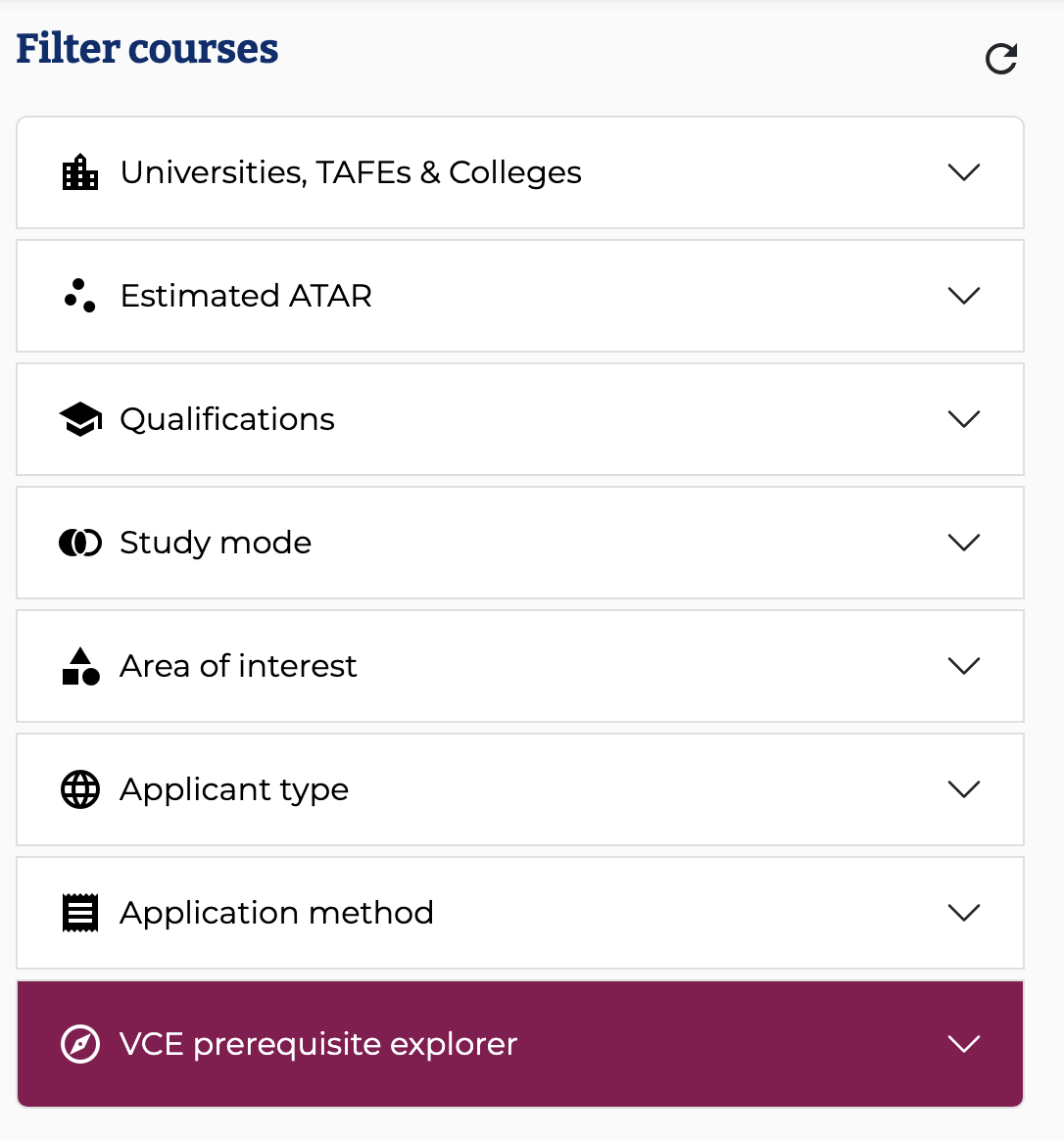
The VCE Prerequisite Explorer is now part of CourseSearch. You can find it at the bottom of the list of search filters.
Using the VCE Prerequisite Explorer
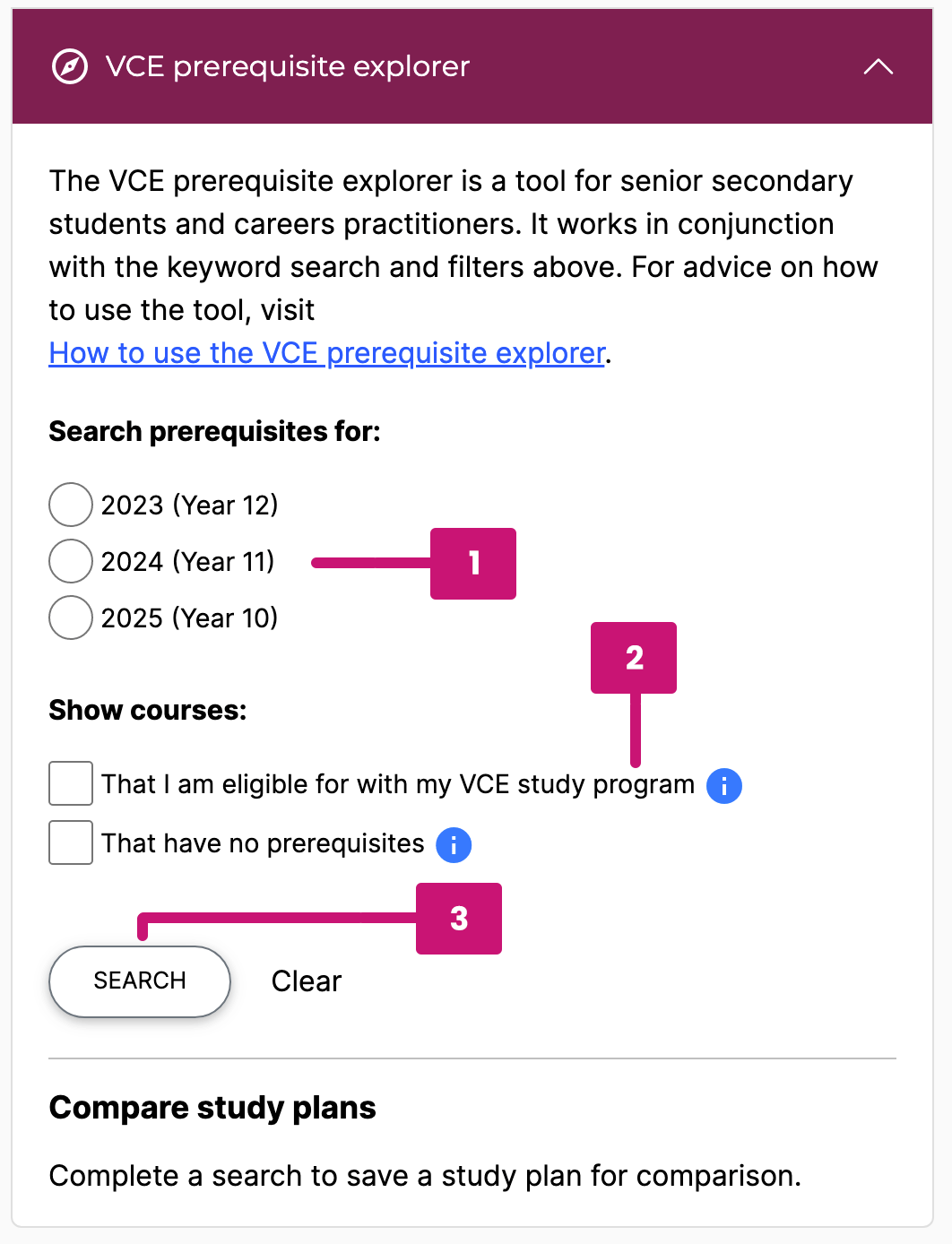
To find courses that you will be eligible for based on your VCE study program, follow these instructions:
- Select the year you will be starting tertiary study and enter the VCE studies you plan to undertake
- Select ‘That I am eligible for with my VCE study program’ option under the Show courses heading
- Press the Search button to see the courses that match the program
You can use the keyword search and the other filters in conjunction with the VCE Prerequisite Explorer. For example, if you are only interested in engineering courses for which you meet the prerequisites, enter 'engineering' in the keyword search field.
You will see a list of the courses for which your study plan will meet prerequisites displayed. These results reflect your likely list of tertiary course options, however it is important to remember that minimum study scores must be achieved to meet prerequisites. Minimum study scores are published annually in VTAC CourseSearch in the year prior to the course commencing.
Comparing study programs
VCE Prerequisite Explorer allows you to save a study plan and compare it to a new search. This allows you to see how adding or dropping a subject might affect your options for tertiary courses.
To compare study plans, follow these instructions:
- After performing a search as described above, click the “Save this search for comparison” button.

- Make changes to your study plan. You can add or remove as many subjects as you like, although changing a single subject each time you compare can make the impact of each individual choice clearer.
- Press ‘Search’ to show results for your new study plan.
- Press ‘Compare this search with saved plan’.
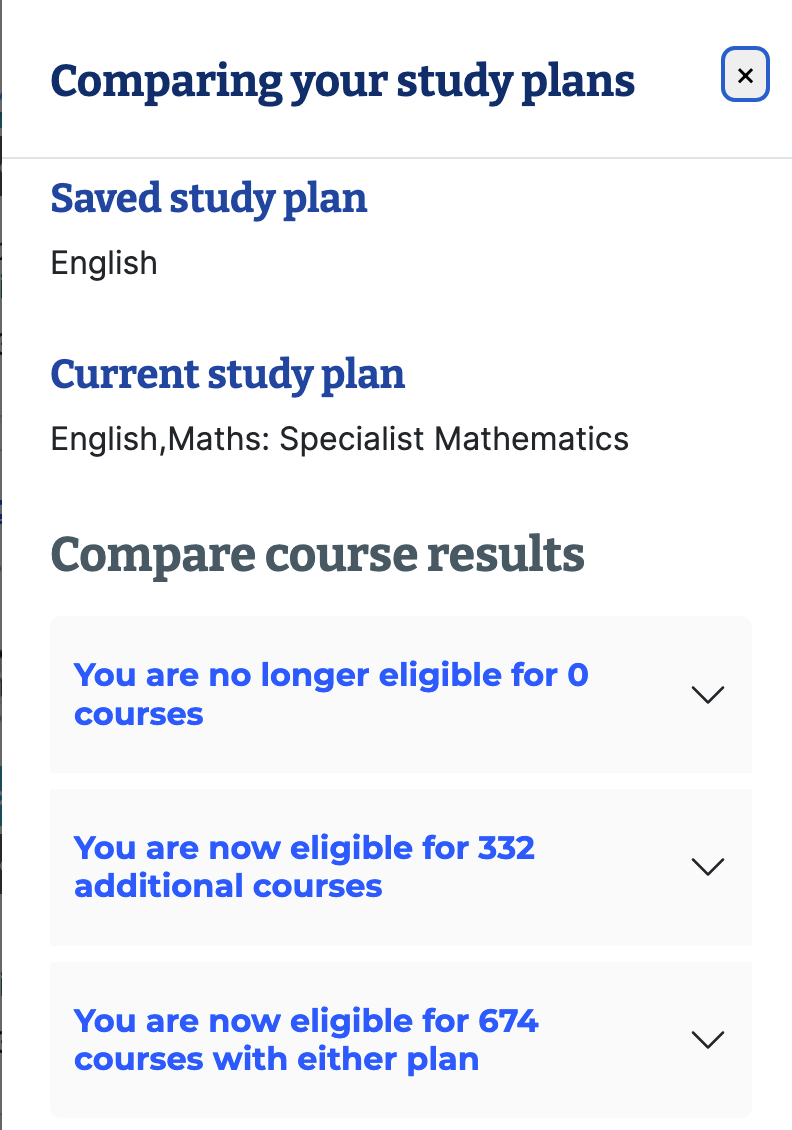
The comparison pop-up will show you the impact on your course options. In this example, adding Specialist Mathematics to the study plan means that 332 additional courses become available to this student.
Find courses with no prerequisites
You can also find courses that do not have any prerequisite studies. Select the 'That have no prerequisites' option under the Show courses heading. You can use this on its own, or in conjunction with a VCE program to show all courses you are eligible for