Applicant dashboard
What's on your dashboard?
Your dashboard outlines your personal details, summarises the steps required to complete your course application and provides access to make alterations to your preferences and personal details.
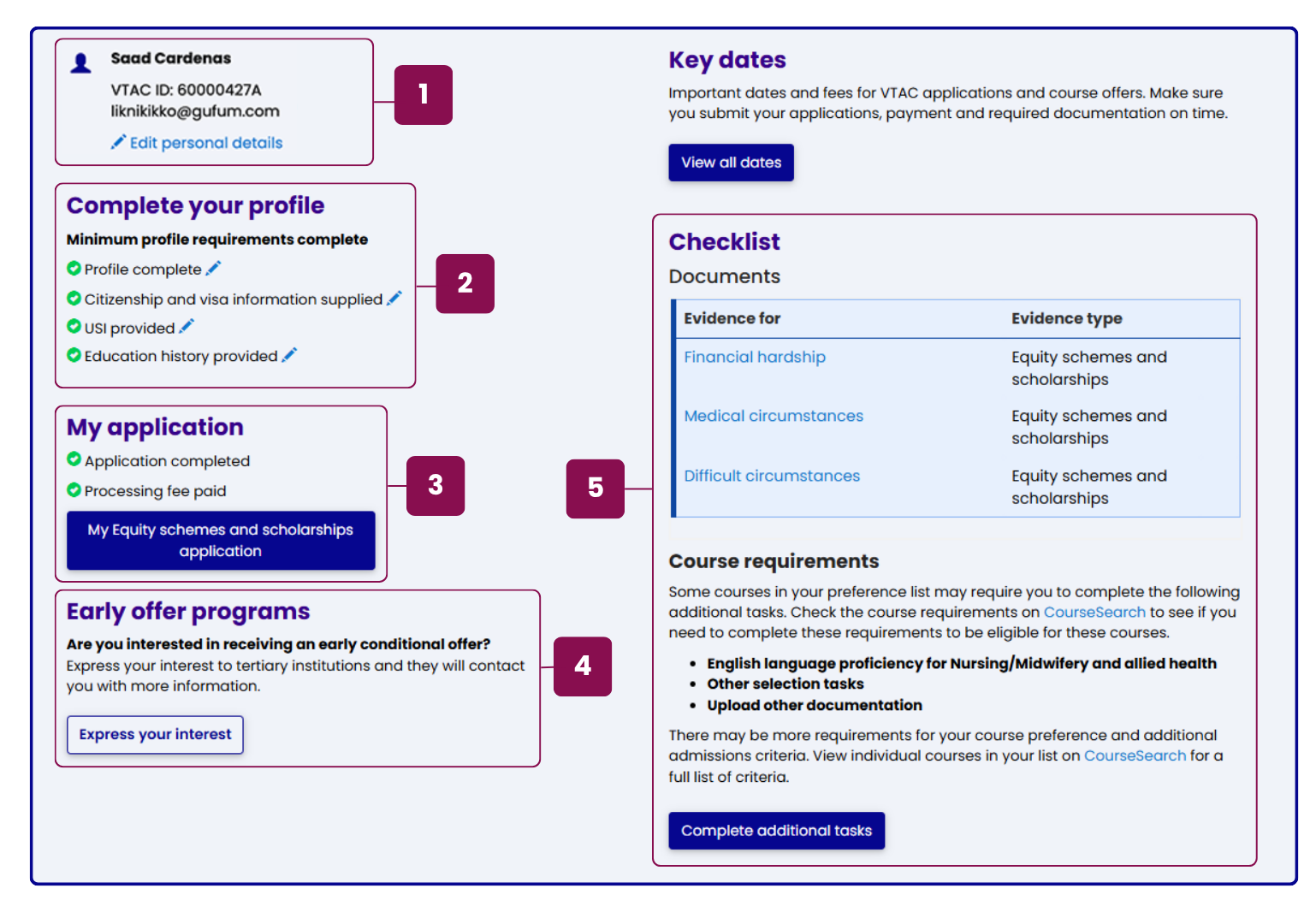
1 Personal details
Your name, VTAC ID, and email address are displayed at the top of the dashboard. Click the link to update or request changes to your personal details, including your name, date of birth, current education status and when you intend to commence tertiary study.
2 Steps to complete your profile
To complete your profile you must provide and confirm details about your education background, citizenship and residency, Unique Student Identifier, living location and contact information.
3 Completing your application
To complete your application, you must submit at least one course preference and pay the application processing fee. After payment, you will have the option to apply for equity schemes and scholarships. You can also adjust your preferences as many times as needed during change of preference periods.
4 Early offer programs
If you have registered as a Year 12 student, you can express your interest in receiving early offer program information from participating tertiary institutions. Click on the button to complete the form and your contact details will be made available to institutions. All early offer applications will still need to be submitted directly to the institution.
5 Checklist
The checklist summarises the documents or evidence required for your course preferences.
Note that this is not an exhaustive list as there may be other requirements and additional admissions criteria for your course preferences. Visit VTAC CourseSearch for a full list of criteria for each of your individual course preferences.
ATAR and course offers
When available, access your ATAR and course offers from your dashboard. Visit the VTAC dates page for ATAR and offers release dates.